What Does an IP Address Tell You?

Lena Fisher
Content Manager, Octo Browser
Every time you open a website, send a message, or watch a video, dozens of devices exchange data behind the scenes.
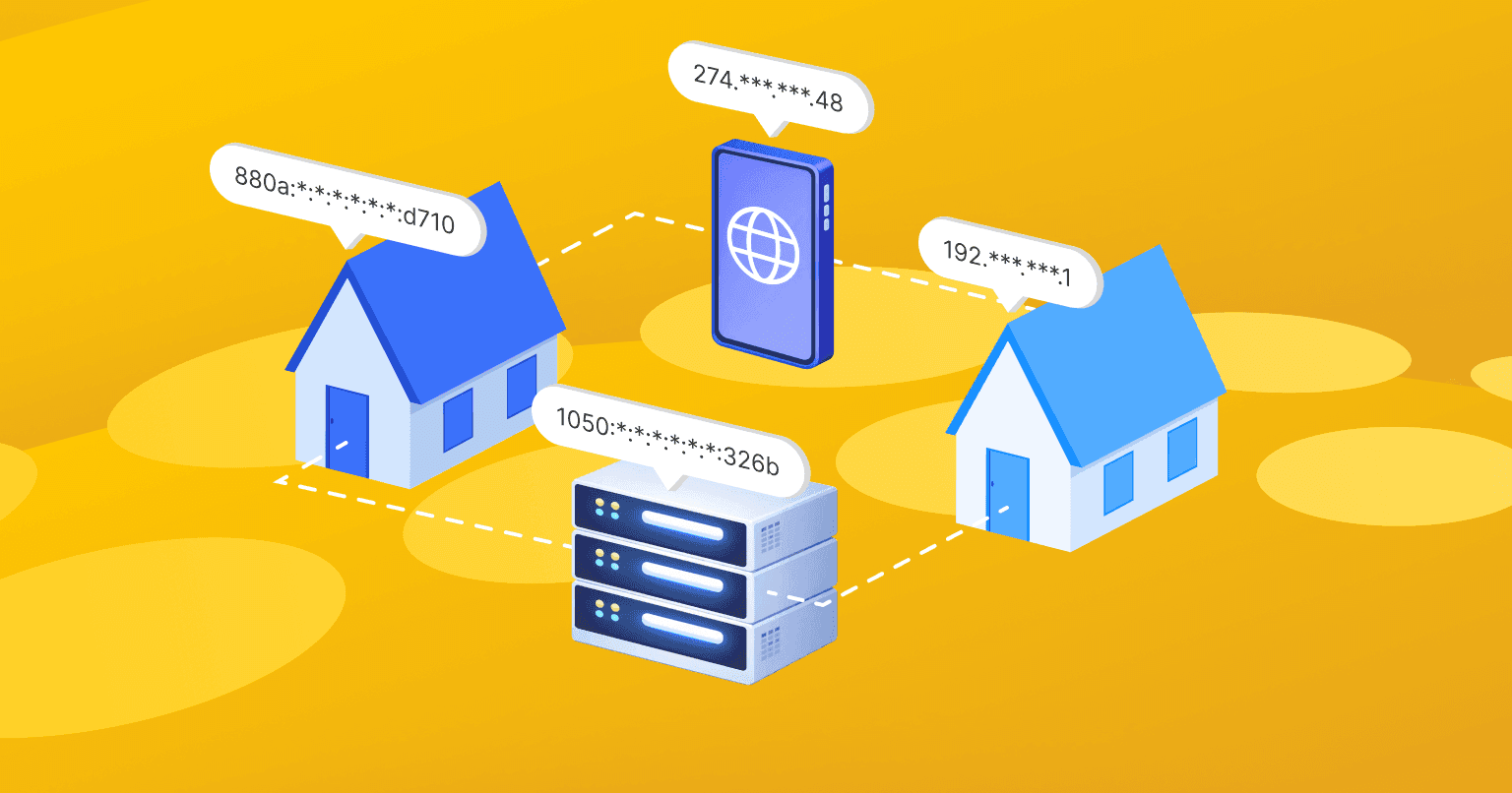
For example, you type a website address into your browser. The request goes from your computer to your home router, then to your Internet provider’s equipment, through several intermediary nodes, and finally to the target server. The response comes back the same way.
For this request to follow the correct route, every node along the path needs an exact address. That address is known as “IP address.” It’s the foundation of how the Internet works.
Every server, router, smartphone, computer, and any Internet-connected device has an IP address. That includes smart watches, smart TVs, and even smart fridges that rely on IP connectivity.
In this article, we’ll break down what an IP address is, what it’s used for, and what types of IP addresses exist. We’ll also explain how to find your IP address and how to protect it.
Contents
Maintain your online anonymity with Octo Browser. Your real digital fingerprint cannot be tracked.
Would you like to try Octo Browser at discount?
Use the promo code OCTOBLOG to get 30% off any subscription. This offer is valid only for new users.
What Is an IP Address?
An IP address (short for Internet Protocol address) is a set of numbers that identifies a specific device on a network. An example of an IP address is 78.129.229.78.
IP addresses are essential for data routing. IPs define the path that allows a request to reach the correct server and return to you as a website, message, movie, or your favorite track.
When you enter a website address (a domain name) into your browser, DNS servers look up the corresponding IP address. Think of it as a phone book of the Internet. Without DNS, we’d have to memorize long strings of IP numbers instead of simple and easily understandable website names.
IP addresses make it possible to:
Know where to send data.
Identify where a request came from and where to send the response.
Build optimal data routes or direct traffic through specific nodes (for example, when using a proxy or VPN).
Analyze traffic, including user activity and visit statistics.
Detect suspicious behavior and apply security measures.
Restrict access by IP address, balance network load, and much more.
Types of IP Addresses
There are several ways to classify IP addresses. Let’s look at the main ones.
IP Versions
IPv4
A 32-bit IP address made up of four numbers ranging from 0 to 255, separated by dots. Example: 192.168.1.1. This is the most common IP format. However, the number of connected devices keeps growing, and IPv4 addresses are running out.
IPv6
A 128-bit IP address consisting of eight groups of four hexadecimal characters. Example:
2001:0db8:85a3:0000:0000:8a2e:0370:7334.
IPv6 was created to solve the address shortage. IPv4 supports about 4.3 billion addresses. IPv6 offers 7.28 × 10²⁸ times more. In theory, this solves the IP address shortage for good.
Public vs. Private IP Addresses
Public IP addresses (also called external IPs) are unique addresses used to communicate between devices on different networks.
If you connect your phone and laptop to the same home Wi-Fi, they’ll share one public IP address — the IP of your router. Public IPs are assigned by your Internet provider (ISP). They can be static or dynamic.
These are the IP addresses you can replace using tools like proxies or VPNs.
Private IP addresses are used inside local networks, such as home or office networks. They are not visible from the outside and can be reused across different networks.
Static vs. Dynamic IP Addresses
Static IP addresses don’t change and are permanently assigned to a device. They’re commonly used for servers in data centers that require a stable connection. You can also purchase a static IP for personal use.
Dynamic IP addresses are the most common IP address type. They’re assigned temporarily and may change over time. Dynamic IP addresses are reused instead of being permanently assigned to a single device. When a user goes offline, the IP address returns to the provider’s pool and can be assigned to someone else.
With mobile carriers, your IP address can change every few minutes, especially when switching between cell towers or networks (LTE, 5G, Wi-Fi). This approach allows providers to serve many users with a limited number of IP addresses and avoid wasting address space.
How to Find Your IP Address
The easiest way to find your public IP address is to search for something like “what is my IP address” or simply “my IP” in your browser. You’ll see many services that display it instantly. You can also use services like whatismyip.com or 2ip.io.
To find your internal IP address, check your device settings.
On macOS:
Open System Settings → Network
Select the active connection
Click Details
Find the IP address field
On Windows:
Open Start → Settings
Go to Network & Internet
Select the active connection
Scroll down to the IP address information
On iOS (iPhone, iPad):
Open Settings → Wi-Fi
Tap the ⓘ icon next to the connected network to see your IP address
On Android:
Open Settings → About phone
Go to Status or General information
Find the IP address field
Menu paths to get your IP address may vary depending on your device and OS version.
Understanding the Structure of an IP Address
An IP address has two main parts:
Network ID — the first part of IP. It identifies the network the device belongs to.
Host ID — the second part of IP. It identifies a specific device within that network.
A key element here is the subnet mask, usually shown next to the IP address (for example, 255.255.255.0). It tells the system which part of the IP refers to the network and which part refers to the device itself.
Without a subnet mask, devices wouldn’t know, based on the IP address alone, whether another computer is on the same local network or outside it, or whether data should be sent directly or routed through a router.
Since computers work in binary, the mask can be read like this: 255 is the maximum value for an 8-bit number, which represents “1”. Ones indicate the network portion in an IP address. Zeros indicate the host portion.
In the example above, the first three numbers in the IP address define the network. The last one identifies the device.
What Does Your IP Address Reveal?
Your IP address shows your general location — country, city, and sometimes even your neighborhood. It also reveals your Internet Service Provider, which is how some services can tailor content or ads to you. If you want to learn more about how IP-based location detection works and how accurate it can be, check out our article here.
In some cases, your IP address can hint at your online activity. For example, websites can see which pages you visit and how long you stay. They can use this data for analytics, personalization, or even security checks.
To see how much information about you your IP address actually reveals, you can use IP checker tools. Some offer a simple IP look-up, while others analyze a wide range of fingerprint parameters. An IP checker can show your public IP address, approximate location, autonomous system number (ASN), signs of proxy or VPN usage, IPv6 leaks, and other technical details.
Keep in mind: your IP address does not directly show your name or exact address, but combined with other data and your digital fingerprint, it can be used to identify you. That’s why protecting your IP address is vitally important if you care about privacy.
Who Can See Your IP Address?
Your IP address can be seen by:
Your Internet Service Provider. ISPs assign IP addresses and track network activity, including which sites you visit and how long you stay online.
Websites and online services. They detect IP addresses to analyze traffic, determine geolocation, and personalize content. For example, pricing or product offers may change based on your location.
Security systems. Cybersecurity tools monitor IPs for suspicious activity, such as repeated requests, mass registrations, or attacks. IP addresses are often used for white lists, black lists, and enforcing security rules.
Government authorities. In some countries, law enforcement agencies can access IP-related data for official investigations.
Cybercriminals. Attackers may use IP addresses for DDoS attacks or to exploit vulnerabilities. In some cases, hackers may attempt to gain access to your device and/or data through IP-based weaknesses.
How to Protect Your IP Address and Online Privacy
If you want to stay anonymous online, protecting your IP address is a necessity. Here are the most common tools to do so:
Proxies
Proxy servers act as intermediaries. They receive your request and forward it using their own IP address. The destination site sees the proxy’s IP address, not yours. Proxies are often used to access region-blocked content. We’ve covered how IP spoofing with proxies works in detail here.
VPNs
A virtual private network (VPN) hides your IP address by encrypting your traffic. It also helps you bypass geo-blocks and access sites unavailable in your region. Check out our full guide for a deeper look at proxies and VPNs.
Anti-detect browsers
These tools spoof various types of data used for user and device identification: device fingerprint details, operating system, browser info, cookies, and more. For example, Octo Browser spoofs more than 50 digital fingerprint parameters. But such browsers don’t change your IP address automatically. However, when combined with high-quality proxies that hide your IP address, they provide a high level of anonymity.
Anti-detect browsers are essential for multi-accounting. If you manage multiple social media profiles, marketplace accounts, or work in affiliate marketing or bonus hunting, a reliable anti-detect browser is a must.
Conclusion
Understanding how IP addresses work is key to staying safe online. Protect your data and be mindful of privacy concerns: your IP can reveal your location, ISP, and online activity, so it’s important to control how the IP address is shared and accessed online.
If you need maximum anonymity or work professionally with multiple accounts, use a high-quality anti-detect browser paired with proxies. This allows you to spoof both your digital fingerprint and your IP address, keeping your real identity hidden while safely and securely managing multiple accounts.
FAQ
Does an IP address reveal my personal data?
No, but your IP address can reveal:
Location. Usually your country and city. Some services estimate neighborhoods or approximate coordinates.
ISP. Most IP lookup tools show your Internet Service Provider.
Activity history. IPs can be linked to visited sites and are often used for analytics and marketing.
Can someone track me using my IP address?
Yes. IP addresses are used to track online activity, including visited websites. ISPs and attackers may use this data. While an IP doesn’t contain personal details by itself, combined with other data it can help identify a user.
Do I need to hide my IP address?
Not always. If you’re not doing anything sensitive, hiding your IP address isn’t strictly necessary. However, replacing your IP is useful for bypassing geo-blocks or working with multiple accounts. Protecting your IP address from misuse is always important.
Can my IP address be used for hacking?
Yes. Attackers can use an IP address to launch targeted attacks or attempt to exploit known vulnerabilities in a device or network. An exposed IP may allow attackers to identify open ports, services, or weak configurations associated with that IP address. This information can be used for scanning, brute-force attempts, or other forms of malicious activity. That’s why IP protection matters. Hiding or spoofing your IP address reduces the risk of direct attacks and makes it harder for malicious actors to associate your IP with a specific device or location.
How can I hide my IP address myself?
You can hide your IP address using proxies or VPNs. For one-time access to blocked content, free tools like Blockaway.net may work. For professional use, use paid proxies from trusted providers. Free proxies’ IPs are often blacklisted and unreliable, so we recommend avoiding them, especially for professional use or multi-accounting.
Does an anti-detect browser hide my IP address?
No. An anti-detect browser won’t change your IP address by itself. You need to pair it with reliable proxies. Octo Browser comes with a built-in Proxy Shop offering IPs from trusted proxy providers.
Who manages IP addresses?
IP addresses aren’t handed out randomly. There’s a global system that keeps everything organized. The Internet Assigned Numbers Authority (IANA) oversees all IP address allocations worldwide.
IANA distributes large blocks of IP addresses to Regional Internet Registries (RIRs). Each RIR manages addresses for a specific part of the world, like North America, Europe, or Asia. From there, IP addresses are given to Internet Service Providers, companies, and organizations.
So when you get an IP address from your provider, it’s part of a structured, global system. This ensures that every device online has a unique IP address and prevents IP conflicts.
Maintain your online anonymity with Octo Browser. Your real digital fingerprint cannot be tracked.
Would you like to try Octo Browser at discount?
Use the promo code OCTOBLOG to get 30% off any subscription. This offer is valid only for new users.
What Is an IP Address?
An IP address (short for Internet Protocol address) is a set of numbers that identifies a specific device on a network. An example of an IP address is 78.129.229.78.
IP addresses are essential for data routing. IPs define the path that allows a request to reach the correct server and return to you as a website, message, movie, or your favorite track.
When you enter a website address (a domain name) into your browser, DNS servers look up the corresponding IP address. Think of it as a phone book of the Internet. Without DNS, we’d have to memorize long strings of IP numbers instead of simple and easily understandable website names.
IP addresses make it possible to:
Know where to send data.
Identify where a request came from and where to send the response.
Build optimal data routes or direct traffic through specific nodes (for example, when using a proxy or VPN).
Analyze traffic, including user activity and visit statistics.
Detect suspicious behavior and apply security measures.
Restrict access by IP address, balance network load, and much more.
Types of IP Addresses
There are several ways to classify IP addresses. Let’s look at the main ones.
IP Versions
IPv4
A 32-bit IP address made up of four numbers ranging from 0 to 255, separated by dots. Example: 192.168.1.1. This is the most common IP format. However, the number of connected devices keeps growing, and IPv4 addresses are running out.
IPv6
A 128-bit IP address consisting of eight groups of four hexadecimal characters. Example:
2001:0db8:85a3:0000:0000:8a2e:0370:7334.
IPv6 was created to solve the address shortage. IPv4 supports about 4.3 billion addresses. IPv6 offers 7.28 × 10²⁸ times more. In theory, this solves the IP address shortage for good.
Public vs. Private IP Addresses
Public IP addresses (also called external IPs) are unique addresses used to communicate between devices on different networks.
If you connect your phone and laptop to the same home Wi-Fi, they’ll share one public IP address — the IP of your router. Public IPs are assigned by your Internet provider (ISP). They can be static or dynamic.
These are the IP addresses you can replace using tools like proxies or VPNs.
Private IP addresses are used inside local networks, such as home or office networks. They are not visible from the outside and can be reused across different networks.
Static vs. Dynamic IP Addresses
Static IP addresses don’t change and are permanently assigned to a device. They’re commonly used for servers in data centers that require a stable connection. You can also purchase a static IP for personal use.
Dynamic IP addresses are the most common IP address type. They’re assigned temporarily and may change over time. Dynamic IP addresses are reused instead of being permanently assigned to a single device. When a user goes offline, the IP address returns to the provider’s pool and can be assigned to someone else.
With mobile carriers, your IP address can change every few minutes, especially when switching between cell towers or networks (LTE, 5G, Wi-Fi). This approach allows providers to serve many users with a limited number of IP addresses and avoid wasting address space.
How to Find Your IP Address
The easiest way to find your public IP address is to search for something like “what is my IP address” or simply “my IP” in your browser. You’ll see many services that display it instantly. You can also use services like whatismyip.com or 2ip.io.
To find your internal IP address, check your device settings.
On macOS:
Open System Settings → Network
Select the active connection
Click Details
Find the IP address field
On Windows:
Open Start → Settings
Go to Network & Internet
Select the active connection
Scroll down to the IP address information
On iOS (iPhone, iPad):
Open Settings → Wi-Fi
Tap the ⓘ icon next to the connected network to see your IP address
On Android:
Open Settings → About phone
Go to Status or General information
Find the IP address field
Menu paths to get your IP address may vary depending on your device and OS version.
Understanding the Structure of an IP Address
An IP address has two main parts:
Network ID — the first part of IP. It identifies the network the device belongs to.
Host ID — the second part of IP. It identifies a specific device within that network.
A key element here is the subnet mask, usually shown next to the IP address (for example, 255.255.255.0). It tells the system which part of the IP refers to the network and which part refers to the device itself.
Without a subnet mask, devices wouldn’t know, based on the IP address alone, whether another computer is on the same local network or outside it, or whether data should be sent directly or routed through a router.
Since computers work in binary, the mask can be read like this: 255 is the maximum value for an 8-bit number, which represents “1”. Ones indicate the network portion in an IP address. Zeros indicate the host portion.
In the example above, the first three numbers in the IP address define the network. The last one identifies the device.
What Does Your IP Address Reveal?
Your IP address shows your general location — country, city, and sometimes even your neighborhood. It also reveals your Internet Service Provider, which is how some services can tailor content or ads to you. If you want to learn more about how IP-based location detection works and how accurate it can be, check out our article here.
In some cases, your IP address can hint at your online activity. For example, websites can see which pages you visit and how long you stay. They can use this data for analytics, personalization, or even security checks.
To see how much information about you your IP address actually reveals, you can use IP checker tools. Some offer a simple IP look-up, while others analyze a wide range of fingerprint parameters. An IP checker can show your public IP address, approximate location, autonomous system number (ASN), signs of proxy or VPN usage, IPv6 leaks, and other technical details.
Keep in mind: your IP address does not directly show your name or exact address, but combined with other data and your digital fingerprint, it can be used to identify you. That’s why protecting your IP address is vitally important if you care about privacy.
Who Can See Your IP Address?
Your IP address can be seen by:
Your Internet Service Provider. ISPs assign IP addresses and track network activity, including which sites you visit and how long you stay online.
Websites and online services. They detect IP addresses to analyze traffic, determine geolocation, and personalize content. For example, pricing or product offers may change based on your location.
Security systems. Cybersecurity tools monitor IPs for suspicious activity, such as repeated requests, mass registrations, or attacks. IP addresses are often used for white lists, black lists, and enforcing security rules.
Government authorities. In some countries, law enforcement agencies can access IP-related data for official investigations.
Cybercriminals. Attackers may use IP addresses for DDoS attacks or to exploit vulnerabilities. In some cases, hackers may attempt to gain access to your device and/or data through IP-based weaknesses.
How to Protect Your IP Address and Online Privacy
If you want to stay anonymous online, protecting your IP address is a necessity. Here are the most common tools to do so:
Proxies
Proxy servers act as intermediaries. They receive your request and forward it using their own IP address. The destination site sees the proxy’s IP address, not yours. Proxies are often used to access region-blocked content. We’ve covered how IP spoofing with proxies works in detail here.
VPNs
A virtual private network (VPN) hides your IP address by encrypting your traffic. It also helps you bypass geo-blocks and access sites unavailable in your region. Check out our full guide for a deeper look at proxies and VPNs.
Anti-detect browsers
These tools spoof various types of data used for user and device identification: device fingerprint details, operating system, browser info, cookies, and more. For example, Octo Browser spoofs more than 50 digital fingerprint parameters. But such browsers don’t change your IP address automatically. However, when combined with high-quality proxies that hide your IP address, they provide a high level of anonymity.
Anti-detect browsers are essential for multi-accounting. If you manage multiple social media profiles, marketplace accounts, or work in affiliate marketing or bonus hunting, a reliable anti-detect browser is a must.
Conclusion
Understanding how IP addresses work is key to staying safe online. Protect your data and be mindful of privacy concerns: your IP can reveal your location, ISP, and online activity, so it’s important to control how the IP address is shared and accessed online.
If you need maximum anonymity or work professionally with multiple accounts, use a high-quality anti-detect browser paired with proxies. This allows you to spoof both your digital fingerprint and your IP address, keeping your real identity hidden while safely and securely managing multiple accounts.
FAQ
Does an IP address reveal my personal data?
No, but your IP address can reveal:
Location. Usually your country and city. Some services estimate neighborhoods or approximate coordinates.
ISP. Most IP lookup tools show your Internet Service Provider.
Activity history. IPs can be linked to visited sites and are often used for analytics and marketing.
Can someone track me using my IP address?
Yes. IP addresses are used to track online activity, including visited websites. ISPs and attackers may use this data. While an IP doesn’t contain personal details by itself, combined with other data it can help identify a user.
Do I need to hide my IP address?
Not always. If you’re not doing anything sensitive, hiding your IP address isn’t strictly necessary. However, replacing your IP is useful for bypassing geo-blocks or working with multiple accounts. Protecting your IP address from misuse is always important.
Can my IP address be used for hacking?
Yes. Attackers can use an IP address to launch targeted attacks or attempt to exploit known vulnerabilities in a device or network. An exposed IP may allow attackers to identify open ports, services, or weak configurations associated with that IP address. This information can be used for scanning, brute-force attempts, or other forms of malicious activity. That’s why IP protection matters. Hiding or spoofing your IP address reduces the risk of direct attacks and makes it harder for malicious actors to associate your IP with a specific device or location.
How can I hide my IP address myself?
You can hide your IP address using proxies or VPNs. For one-time access to blocked content, free tools like Blockaway.net may work. For professional use, use paid proxies from trusted providers. Free proxies’ IPs are often blacklisted and unreliable, so we recommend avoiding them, especially for professional use or multi-accounting.
Does an anti-detect browser hide my IP address?
No. An anti-detect browser won’t change your IP address by itself. You need to pair it with reliable proxies. Octo Browser comes with a built-in Proxy Shop offering IPs from trusted proxy providers.
Who manages IP addresses?
IP addresses aren’t handed out randomly. There’s a global system that keeps everything organized. The Internet Assigned Numbers Authority (IANA) oversees all IP address allocations worldwide.
IANA distributes large blocks of IP addresses to Regional Internet Registries (RIRs). Each RIR manages addresses for a specific part of the world, like North America, Europe, or Asia. From there, IP addresses are given to Internet Service Providers, companies, and organizations.
So when you get an IP address from your provider, it’s part of a structured, global system. This ensures that every device online has a unique IP address and prevents IP conflicts.
Stay up to date with the latest Octo Browser news
By clicking the button you agree to our Privacy Policy.
Stay up to date with the latest Octo Browser news
By clicking the button you agree to our Privacy Policy.
Stay up to date with the latest Octo Browser news
By clicking the button you agree to our Privacy Policy.

Join Octo Browser now
Or contact Customer Service at any time with any questions you might have.
Join Octo Browser now
Or contact Customer Service at any time with any questions you might have.
Join Octo Browser now
Or contact Customer Service at any time with any questions you might have.