Best anti-detect browsers for iOS in 2026


Palina Zabela
Content Manager, Octo Browser
In 2026, anti-detect browsers with iOS support are becoming increasingly popular. They allow you to create hundreds of isolated profiles, each of which looks like a separate iPhone with its own fingerprint.
We compared the best anti-detect browsers for iOS so you can choose the right solution for your needs. We’ll explain how they work, how much they cost, and how they differ from each other.
Contents
Maintain your online anonymity with Octo Browser. Your real digital fingerprint cannot be tracked.
Would you like to try Octo Browser at а discount?
Use the promo code OCTOBLOG to get 30% off any subscription. This offer is valid only for new users.
Can you use an anti-detect browser on an iPhone
Yes, you can use anti-detect browsers on an iPhone. There are several solutions available on the market.
The first option is native iOS applications. These browsers for iPhone and iPad create profiles with mobile Safari fingerprints. Websites see these profiles as regular mobile users.
The second option is desktop anti-detect browsers with iOS emulation. Their disadvantage is that PC architecture does not allow them to run the original mobile kernel. This can lead to fingerprint inconsistencies that may raise suspicion with website security systems.
In this article, we’ll compare all available options: both native iOS applications and desktop anti-detect browsers that offer iOS fingerprint spoofing.
Why iOS fingerprints are needed
It is believed that iOS fingerprints help bypass certain anti-fraud systems. This is because fingerprints of identical iPhone and iPad models differ only by their IP address and are less likely to trigger suspicion from website security systems. Therefore, native iOS fingerprints can provide an advantage when registering accounts on certain websites.
Best anti-detect browsers for iOS
We selected six best anti-detect browsers that support iOS, either through a native application or fingerprint spoofing.
Octo Browser
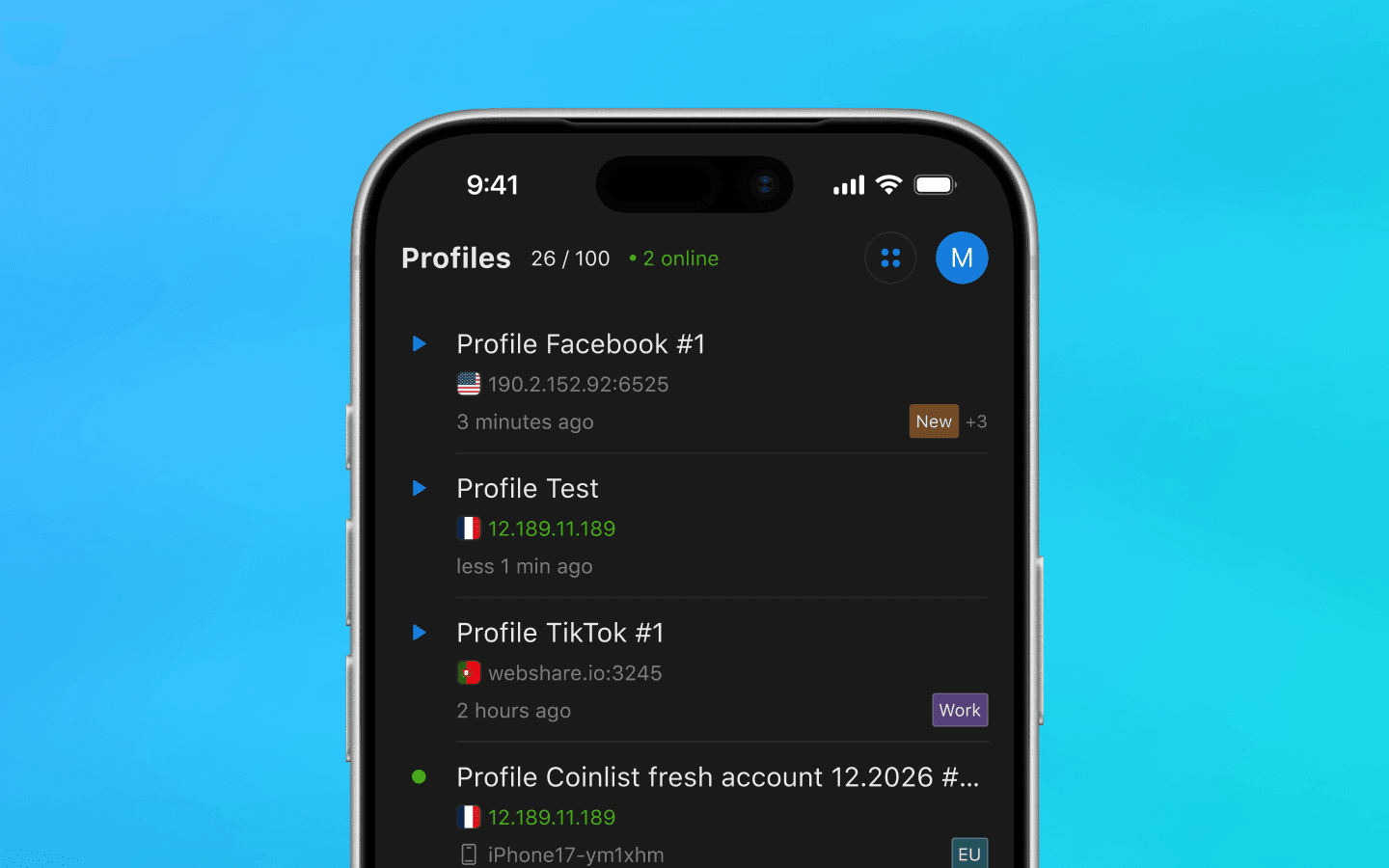
The Octo Browser team has created a full-featured mobile browser for iOS. The iPhone and iPad application allows you to create isolated profiles with native Safari fingerprints. You can independently test the quality of digital fingerprint spoofing and how well Octo profiles pass checks on specific services, and you can work with the same account from an unlimited number of devices.
Octo supports video stream spoofing. This feature allows you to replace the camera feed with any video or image. Octo Browser also provides the “paste like a human” feature, making text insertion appear to websites as if it is being typed manually by a person. In addition, Octo supports UDP over WebRTC. This is required to protect against real IP address leaks through WebRTC.
The iOS application partially synchronizes with an already existing Octo account if you have used the desktop browser previously. This allows you to use proxies saved or purchased in Octo’s desktop version directly in the mobile application.
Currently, Octo’s iOS version is in the open testing phase and is available completely free of charge. All users receive 100 profiles and free proxies for a quick start.
Blackbird
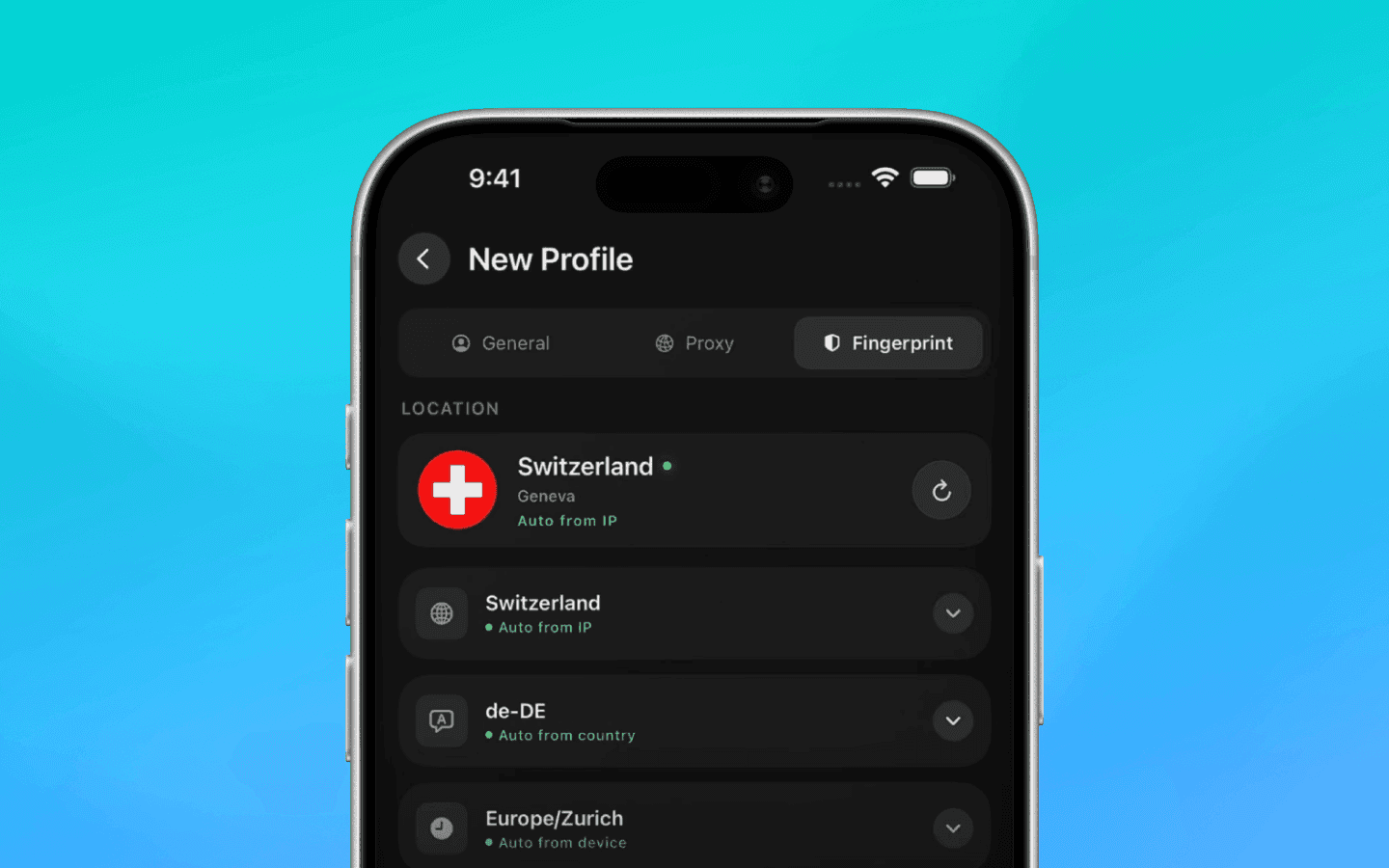
The Blackbird browser also works as a native iOS application: it creates isolated profiles on a single device, each with its own digital fingerprint. The number of devices that can be used to access one Blackbird account depends on the subscription.
Video stream spoofing in Blackbird is only available with a paid subscription, while this feature is available by default in Octo’s free beta version.
Blackbird offers a three-day trial with one profile and one session. A subscription for 3 profiles and 1 device costs $19 per month. A subscription for 200 profiles with access from 10 devices costs $350 per month. A 17% discount is available if you purchase an annual subscription upfront.
Exit Anty
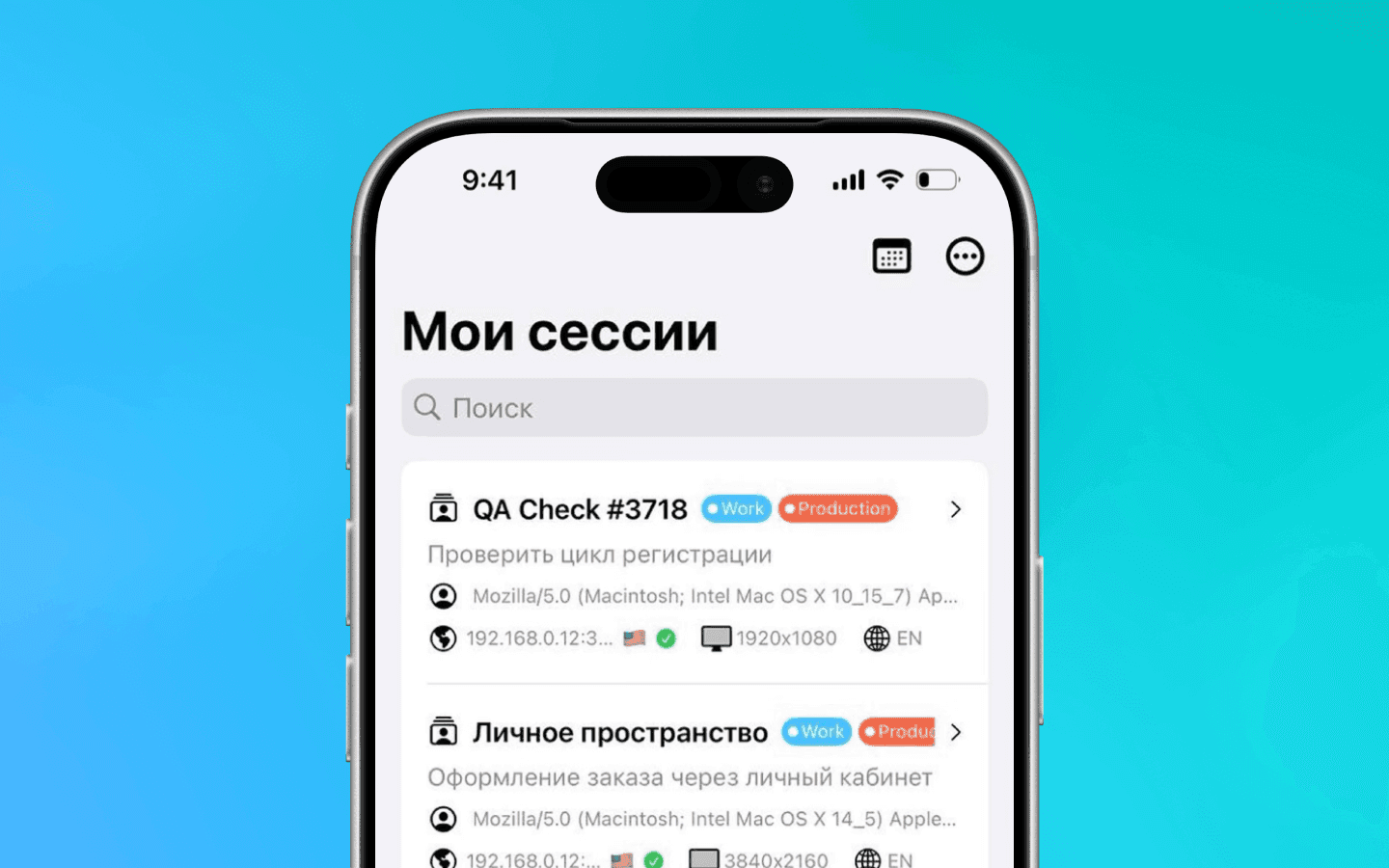
The Exit Anty browser was developed for multi-accounting on iOS. Several team members can work with the same session.
The product falls behind competitors in terms of usability. The application interface looks like it was assembled too quickly. It lacks a unified design system and consistency between elements and spacing.
Exit Anty offers a one-day trial with three profiles. The standard subscription for 15 profiles costs $10 per month. The “Business” subscription for 200 profiles and 5 users costs $100 per month.
Accovod
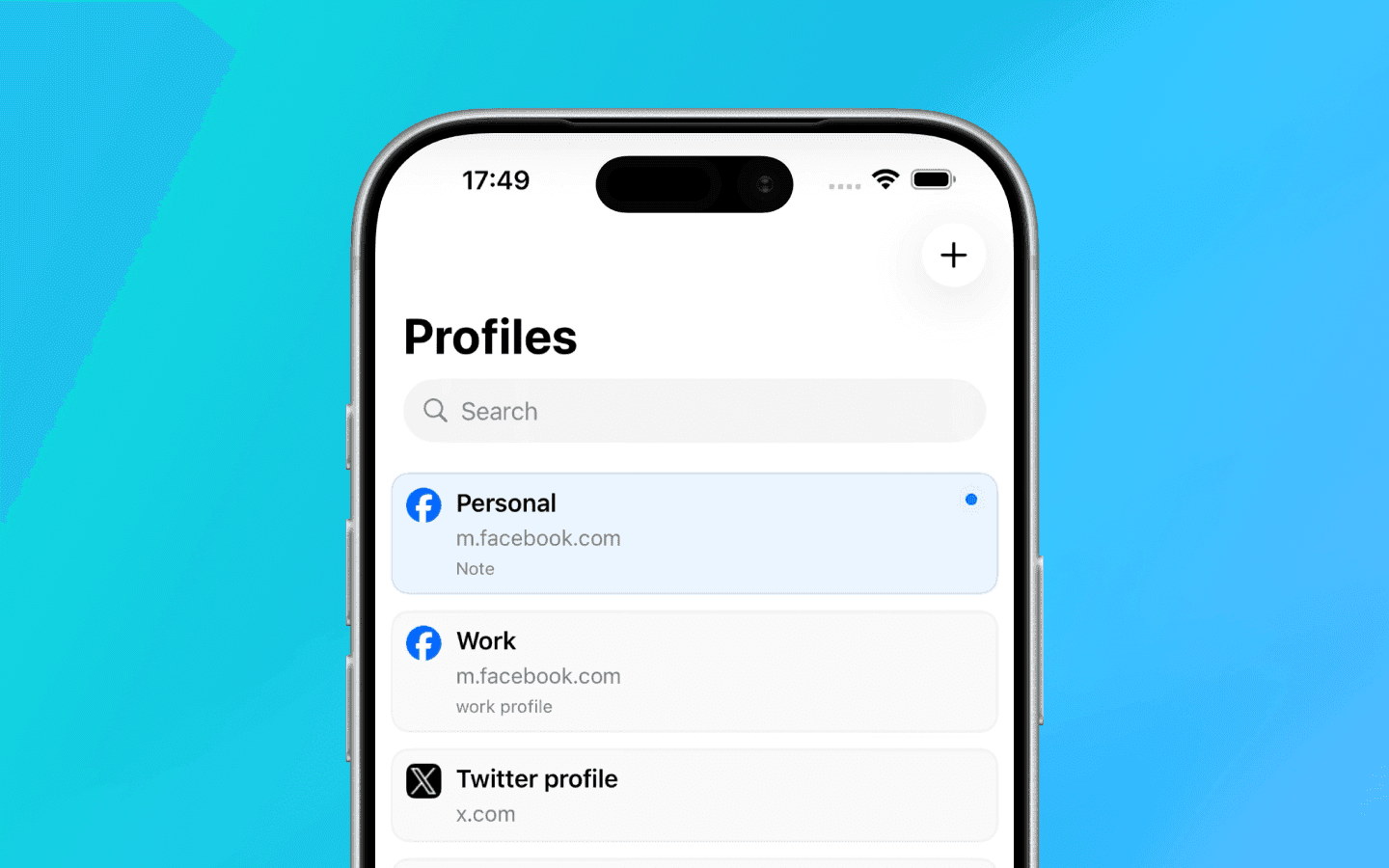
The Accovod anti-detect browser was created for multi-accounting on iPhone and iPad. Like its competitors, the application isolates profiles and spoofs digital fingerprints. The same session can be accessed from multiple devices. However, on iOS, they run on the Mozilla engine; therefore, we recommend testing carefully how the services you need respond to Accovod.
The free demo subscription includes two profiles. The paid Cloud subscription with 200 profiles costs $25 per month, while the Business subscription with 3,000 profiles costs $200 per month. An annual subscription comes with a 40% discount.
Desktop anti-detect browsers with iOS fingerprint emulation
Desktop anti-detect browsers can imitate mobile devices, but they work in a completely different way. They do not create native iOS fingerprints; instead, they only emulate mobile parameters using desktop engines. Because of this, their ability to pass website security systems is significantly lower than that of real mobile applications. Desktop emulation cannot fully replace native iOS software.
Linken Sphere
Linken Sphere is a desktop anti-detect browser. It does not have a mobile application, but the Windows and macOS versions can emulate iOS fingerprints. This technology is not native, unlike the browsers mentioned above.
Linken Sphere teams have three access levels: owner, administrator, and member. When adding a new team member, you can choose whether they can add, edit, and delete sessions, proxies, tags, and presets. You can also grant access only to specific workspaces.
Linken Sphere offers a free subscription with 5 profiles, but it does not include access to mobile sessions. The minimal subscription that includes a mobile emulator (“Light”) comes with 150 sessions and costs $90 per month. Premium with 1,000 profiles and an unlimited number of team members costs $300 per month.
Kameleo
Kameleo is an anti-detect browser for Windows and macOS with support for mobile emulation of Android and iOS devices. Kameleo works on the same principle as Linken Sphere: you launch a profile with an iOS fingerprint in a desktop application. Profiles with such spoofing may raise suspicion with website security systems.
In Kameleo, team access rights can be distributed by roles: administrator, analyst, or member. When creating a group, you can choose who will have access to these sessions. The free subscription supports an unlimited number of devices and three team members. Paid subscriptions do not limit the number of users, but they do limit the number of sessions that can be launched simultaneously by the entire team.
Kameleo offers a free subscription with a browser usage limit of 300 minutes. However, mobile emulation is only available on the Business and Enterprise subscriptions, which cost €299 and €1,499 per month respectively. An annual subscription provides a 25% discount.
How to choose an anti-detect browser for iOS
When choosing an anti-detect browser for iOS, pay attention to the following parameters:
Architecture and kernel. A native application and Safari kernel create realistic fingerprints that are more trusted by websites.
Data leak protection. To prevent your real IP address from being exposed when using proxies, your anti-detect browser should support UDP over WebRTC.
Action spoofing tools. Check whether the browser has features for simulating manual text input and camera video stream spoofing for passing verification checks.
Testing conditions. Choose an anti-detect browser that provides free profiles or a trial period. This allows you to test profile trust and stability yourself on the platforms you need.
FAQ
How does an anti-detect browser for iOS work?
iOS anti-detect browsers create isolated profiles on your iPhone or iPad. Each profile receives its own digital fingerprint, a set of parameters that websites use to identify a device. An anti-detect browser spoofs these parameters so that each profile appears as a separate device. Data between profiles does not overlap.
What is mobile fingerprinting on iOS?
Mobile fingerprinting on iOS is the process of collecting device parameters: iPhone model, iOS version, screen resolution, installed fonts, time zone and language settings, as well as more complex characteristics such as Canvas, WebGL, and AudioContext. Anti-detect browsers spoof these parameters to create a realistic fingerprint.
What is the difference between a desktop anti-detect browser and an iOS version?
Desktop anti-detect browsers run on Windows or macOS. They can emulate iOS fingerprints, but you control them from a desktop device. Native iOS applications run directly on an iPhone or iPad and create fingerprints based on Safari sessions.
Can you manage multiple accounts on an iPhone using an anti-detect browser?
Yes, you can. Native iOS applications, such as Octo Browser for iOS, allow you to create dozens or hundreds of profiles on a single iPhone. Each profile is isolated from the others. You can switch between accounts without leaving the application.
Do anti-detect browsers for iOS support proxy integration?
Yes, most iOS anti-detect browsers support proxies. Octo Browser for iOS works with HTTP and SOCKS5 proxies. You can connect your own proxies or use proxies purchased from Octo’s Proxy Shop. This allows you to spoof geolocation for each browser profile.
Maintain your online anonymity with Octo Browser. Your real digital fingerprint cannot be tracked.
Would you like to try Octo Browser at а discount?
Use the promo code OCTOBLOG to get 30% off any subscription. This offer is valid only for new users.
Can you use an anti-detect browser on an iPhone
Yes, you can use anti-detect browsers on an iPhone. There are several solutions available on the market.
The first option is native iOS applications. These browsers for iPhone and iPad create profiles with mobile Safari fingerprints. Websites see these profiles as regular mobile users.
The second option is desktop anti-detect browsers with iOS emulation. Their disadvantage is that PC architecture does not allow them to run the original mobile kernel. This can lead to fingerprint inconsistencies that may raise suspicion with website security systems.
In this article, we’ll compare all available options: both native iOS applications and desktop anti-detect browsers that offer iOS fingerprint spoofing.
Why iOS fingerprints are needed
It is believed that iOS fingerprints help bypass certain anti-fraud systems. This is because fingerprints of identical iPhone and iPad models differ only by their IP address and are less likely to trigger suspicion from website security systems. Therefore, native iOS fingerprints can provide an advantage when registering accounts on certain websites.
Best anti-detect browsers for iOS
We selected six best anti-detect browsers that support iOS, either through a native application or fingerprint spoofing.
Octo Browser
The Octo Browser team has created a full-featured mobile browser for iOS. The iPhone and iPad application allows you to create isolated profiles with native Safari fingerprints. You can independently test the quality of digital fingerprint spoofing and how well Octo profiles pass checks on specific services, and you can work with the same account from an unlimited number of devices.
Octo supports video stream spoofing. This feature allows you to replace the camera feed with any video or image. Octo Browser also provides the “paste like a human” feature, making text insertion appear to websites as if it is being typed manually by a person. In addition, Octo supports UDP over WebRTC. This is required to protect against real IP address leaks through WebRTC.
The iOS application partially synchronizes with an already existing Octo account if you have used the desktop browser previously. This allows you to use proxies saved or purchased in Octo’s desktop version directly in the mobile application.
Currently, Octo’s iOS version is in the open testing phase and is available completely free of charge. All users receive 100 profiles and free proxies for a quick start.
Blackbird
The Blackbird browser also works as a native iOS application: it creates isolated profiles on a single device, each with its own digital fingerprint. The number of devices that can be used to access one Blackbird account depends on the subscription.
Video stream spoofing in Blackbird is only available with a paid subscription, while this feature is available by default in Octo’s free beta version.
Blackbird offers a three-day trial with one profile and one session. A subscription for 3 profiles and 1 device costs $19 per month. A subscription for 200 profiles with access from 10 devices costs $350 per month. A 17% discount is available if you purchase an annual subscription upfront.
Exit Anty
The Exit Anty browser was developed for multi-accounting on iOS. Several team members can work with the same session.
The product falls behind competitors in terms of usability. The application interface looks like it was assembled too quickly. It lacks a unified design system and consistency between elements and spacing.
Exit Anty offers a one-day trial with three profiles. The standard subscription for 15 profiles costs $10 per month. The “Business” subscription for 200 profiles and 5 users costs $100 per month.
Accovod
The Accovod anti-detect browser was created for multi-accounting on iPhone and iPad. Like its competitors, the application isolates profiles and spoofs digital fingerprints. The same session can be accessed from multiple devices. However, on iOS, they run on the Mozilla engine; therefore, we recommend testing carefully how the services you need respond to Accovod.
The free demo subscription includes two profiles. The paid Cloud subscription with 200 profiles costs $25 per month, while the Business subscription with 3,000 profiles costs $200 per month. An annual subscription comes with a 40% discount.
Desktop anti-detect browsers with iOS fingerprint emulation
Desktop anti-detect browsers can imitate mobile devices, but they work in a completely different way. They do not create native iOS fingerprints; instead, they only emulate mobile parameters using desktop engines. Because of this, their ability to pass website security systems is significantly lower than that of real mobile applications. Desktop emulation cannot fully replace native iOS software.
Linken Sphere
Linken Sphere is a desktop anti-detect browser. It does not have a mobile application, but the Windows and macOS versions can emulate iOS fingerprints. This technology is not native, unlike the browsers mentioned above.
Linken Sphere teams have three access levels: owner, administrator, and member. When adding a new team member, you can choose whether they can add, edit, and delete sessions, proxies, tags, and presets. You can also grant access only to specific workspaces.
Linken Sphere offers a free subscription with 5 profiles, but it does not include access to mobile sessions. The minimal subscription that includes a mobile emulator (“Light”) comes with 150 sessions and costs $90 per month. Premium with 1,000 profiles and an unlimited number of team members costs $300 per month.
Kameleo
Kameleo is an anti-detect browser for Windows and macOS with support for mobile emulation of Android and iOS devices. Kameleo works on the same principle as Linken Sphere: you launch a profile with an iOS fingerprint in a desktop application. Profiles with such spoofing may raise suspicion with website security systems.
In Kameleo, team access rights can be distributed by roles: administrator, analyst, or member. When creating a group, you can choose who will have access to these sessions. The free subscription supports an unlimited number of devices and three team members. Paid subscriptions do not limit the number of users, but they do limit the number of sessions that can be launched simultaneously by the entire team.
Kameleo offers a free subscription with a browser usage limit of 300 minutes. However, mobile emulation is only available on the Business and Enterprise subscriptions, which cost €299 and €1,499 per month respectively. An annual subscription provides a 25% discount.
How to choose an anti-detect browser for iOS
When choosing an anti-detect browser for iOS, pay attention to the following parameters:
Architecture and kernel. A native application and Safari kernel create realistic fingerprints that are more trusted by websites.
Data leak protection. To prevent your real IP address from being exposed when using proxies, your anti-detect browser should support UDP over WebRTC.
Action spoofing tools. Check whether the browser has features for simulating manual text input and camera video stream spoofing for passing verification checks.
Testing conditions. Choose an anti-detect browser that provides free profiles or a trial period. This allows you to test profile trust and stability yourself on the platforms you need.
FAQ
How does an anti-detect browser for iOS work?
iOS anti-detect browsers create isolated profiles on your iPhone or iPad. Each profile receives its own digital fingerprint, a set of parameters that websites use to identify a device. An anti-detect browser spoofs these parameters so that each profile appears as a separate device. Data between profiles does not overlap.
What is mobile fingerprinting on iOS?
Mobile fingerprinting on iOS is the process of collecting device parameters: iPhone model, iOS version, screen resolution, installed fonts, time zone and language settings, as well as more complex characteristics such as Canvas, WebGL, and AudioContext. Anti-detect browsers spoof these parameters to create a realistic fingerprint.
What is the difference between a desktop anti-detect browser and an iOS version?
Desktop anti-detect browsers run on Windows or macOS. They can emulate iOS fingerprints, but you control them from a desktop device. Native iOS applications run directly on an iPhone or iPad and create fingerprints based on Safari sessions.
Can you manage multiple accounts on an iPhone using an anti-detect browser?
Yes, you can. Native iOS applications, such as Octo Browser for iOS, allow you to create dozens or hundreds of profiles on a single iPhone. Each profile is isolated from the others. You can switch between accounts without leaving the application.
Do anti-detect browsers for iOS support proxy integration?
Yes, most iOS anti-detect browsers support proxies. Octo Browser for iOS works with HTTP and SOCKS5 proxies. You can connect your own proxies or use proxies purchased from Octo’s Proxy Shop. This allows you to spoof geolocation for each browser profile.
Stay up to date with the latest Octo Browser news
By clicking the button you agree to our Privacy Policy.
Stay up to date with the latest Octo Browser news
By clicking the button you agree to our Privacy Policy.
Stay up to date with the latest Octo Browser news
By clicking the button you agree to our Privacy Policy.

Join Octo Browser now
Or contact Customer Service at any time with any questions you might have.
Join Octo Browser now
Or contact Customer Service at any time with any questions you might have.
Join Octo Browser now
Or contact Customer Service at any time with any questions you might have.