How to create multiple Steam accounts


Andrey Vorster
Content Manager, Octo Browser
Many users create multiple Steam accounts or change their region to access region-restricted games, farm items and cards, and participate in regional promotions and sales without restrictions. However, not everyone knows how to do this without violating platform rules and risking a ban. In this article, we will examine the nuances of registering and using multiple Steam accounts, the restrictions that Valve imposes, and how to avoid common mistakes when using multiple Steam accounts.
Contents
Manage multiple accounts, simplify ad integrations, and earn consistent income with your content.
Would you like to try Octo Browser at discount?
Use the promo code OCTOBLOG to get 30% off any subscription. This offer is valid only for new users.
Steam rules (ToS) and the position of Valve
The official position of Valve Corporation does not directly prohibit one user from creating multiple Steam accounts, as long as this does not violate other clauses of the Steam Subscriber Agreement.
Main violations related to multi-accounting on Steam include:
Ban evasion: creating a new account to bypass a ban (VAC, Game Ban, trading ban) on the main account is a direct and undeniable violation. It leads to an almost immediate ban of the new account.
Fraud: using accounts to deceive other users (phishing, scams), manipulate voting, boost reviews, or create fake trades.
Regional pricing abuse: using an account from a low-price region to purchase games for transfer or resale.
In practice, creating additional accounts for personal non-commercial use (for example, a family account or a separate testing account) often goes unnoticed as long as other rules are not violated. However, this is a grey area without official guarantees, so Valve reserves the right to apply sanctions to all connected accounts if any violations are detected. This is known as an “association ban.” The platform’s position is aimed at tackling abuse, not ordinary users.
Registration on Steam: main steps
To create a new Steam account you will need:
A unique email address. One address cannot be used for multiple accounts. Temporary email services are not recommended, as this increases the risk of losing account recovery options in case of a ban.
Username and password. Must be unique.
Proxy/VPN. Required to change region during registration. Using cheap VPNs may lead to an immediate ban or an Internal Server Error.
Phone number. Steam may request SMS verification, especially if registration is performed from the same IP or device. To bypass this limitation, some users use virtual numbers. Certain features (Market trading, adding friends after a specific limit) also require a unique phone number. In this case, you can use a virtual number.
A separate payment method. Steam does not allow linking the same bank card to multiple accounts without additional verification.
Important: when registering a new account from the same IP address as an existing one, Steam may request email or SMS confirmation. This is a standard security measure, not a ban.
Using the Steam desktop app
The Steam desktop app is installed on a device only once. You can then add multiple accounts and switch between them. Your libraries, settings, and cloud saves will be separated.
From the system’s perspective, all these accounts will be associated with one device. They will use the same IP address and partially identical hardware identifiers. For everyday use, this approach is sufficient. For tasks that require full account isolation, this is not enough.
Running multiple Steam accounts simultaneously
Running two or more Steam apps on one device using different accounts is normally impossible: Steam blocks ports and files.
Workarounds include:
Using multiple Windows users (each with their own Steam profile).
Running the Steam app in Sandbox mode using special software. This allows you to create several “sandboxes” with different accounts. This method is easier, but not always convenient to manage. Also, Steam actively fights such methods, which may lead to bans.
Using virtual machines. Each virtual machine is an isolated operating system where you can install and run a separate Steam app, but this requires significant PC resources.
For games without DRM or with offline mode support, multiple copies of a game can be launched manually, bypassing Steam.
Risks: attempts to bypass this limitation by running multiple Steam instances, using different Windows users, or virtualization may lead to technical issues or account bans. Even if successfully launched, playing a multiplayer game simultaneously from two accounts on one device is practically impossible and easily detected, especially if used to bypass restrictions, such as trading cards or skins between your own accounts.
Creating a Steam account using an anti-detect browser
An anti-detect browser is one of the best options for working with the Steam Marketplace, as it allows you to simulate different devices and use a separate IP for each account. Octo Browser helps hide the real device fingerprint and replaces it with a virtual profile that appears to websites as a real device. You can create multiple Steam accounts while minimizing the risk of bans.
What Steam checks during registration and login via web or the app:
IP address. If multiple accounts are registered using the same IP, Steam may request additional verification.
Fingerprint. Steam analyzes device parameters: screen resolution, installed fonts, plugins, OS version, and browser version. If multiple accounts share the same fingerprint, suspicions arise.
Behavioral factors. Frequent changes of IP, regions, or devices may lead to bans.
How Octo Browser protects your Steam accounts from bans
Octo Browser allows you to create virtual profiles with unique digital fingerprints for each account. Each profile can be paired with a proxy with an IP address from the required region. This way, every Steam account operates in its own isolated digital environment.
This reduces the risk of bans affecting all accounts linked to a single device or IP. During sessions Steam will continue collecting data related to registration, Support logins, and purchases made in the browser, but it will not be able to track links between accounts or suspect violations.
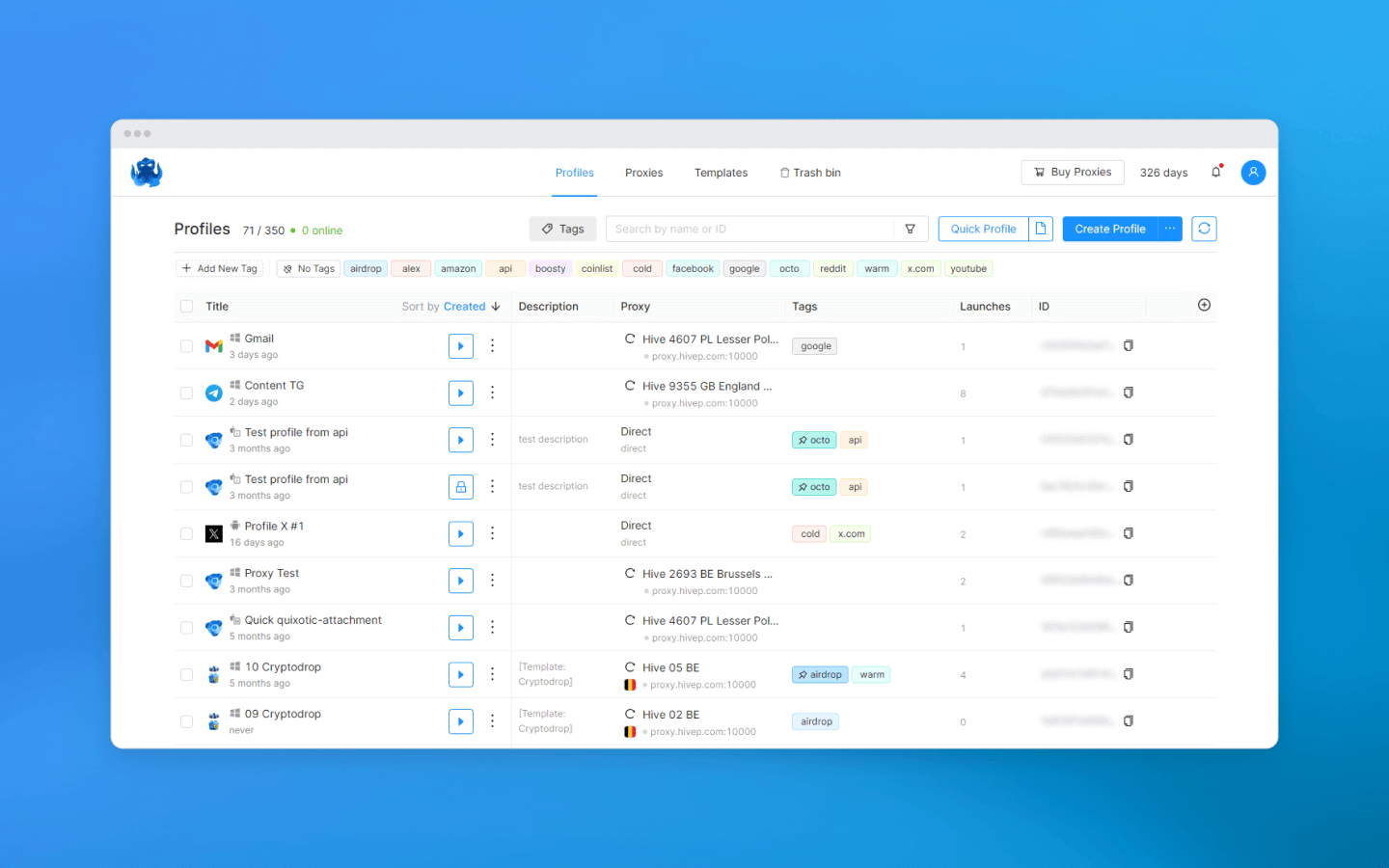
An anti-detect browser isolates the web part of Steam. To isolate the Steam app itself, additional methods described above are required.
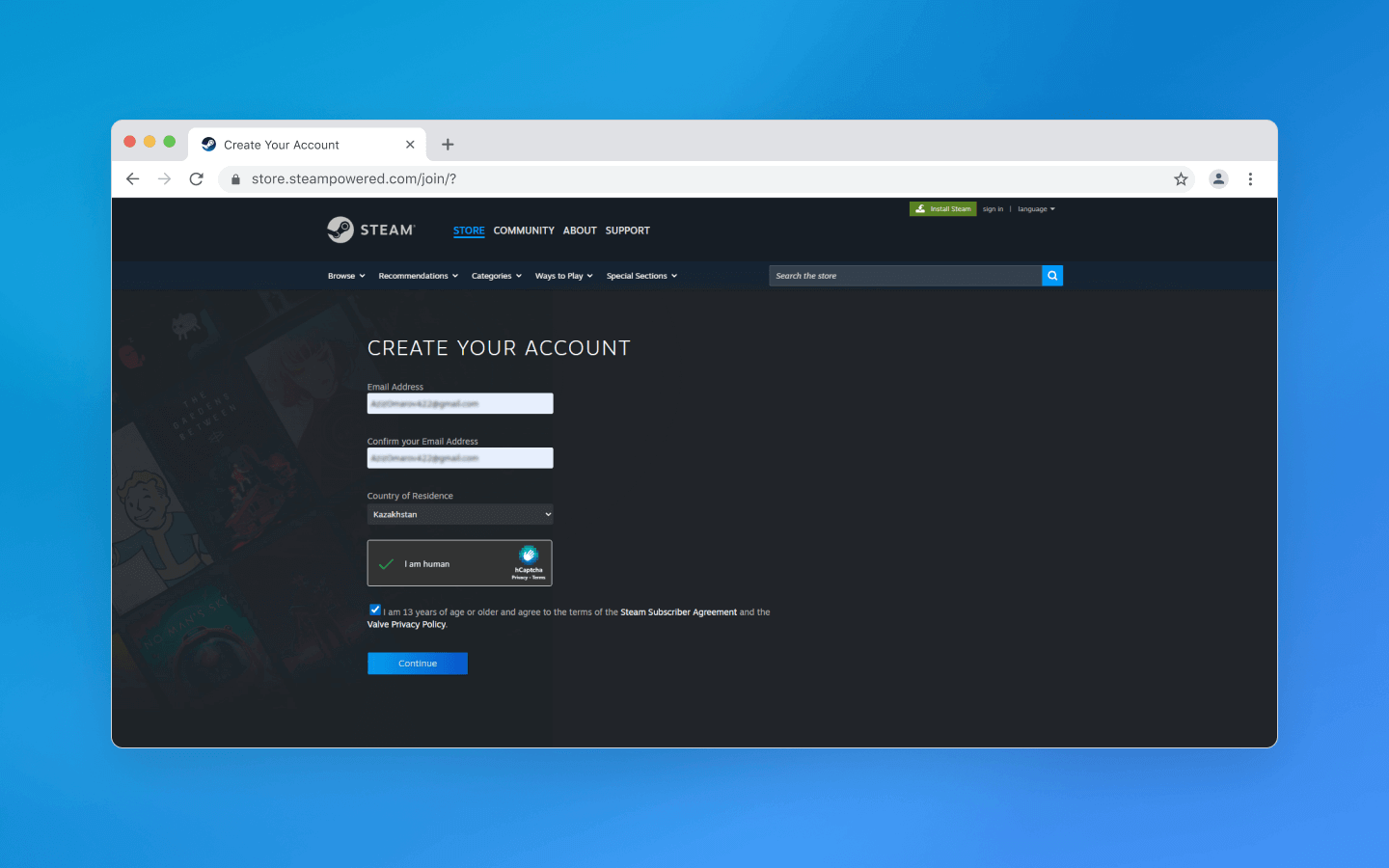
Creating a Steam account in Octo Browser is exactly as in any other browser. You enter your email and specify your country of residence. Geolocation is determined automatically, but when using a proxy the desired geo should appear in the corresponding field. After registration, a confirmation email is sent.
Changing the Steam region
Changing the Steam region provides access to blocked games and lower prices. For example, in regions such as Kazakhstan, Turkey, or Ukraine, Steam prices are significantly lower.
Official change: Steam allows a legal region change no more than once every three months. You can change the country in account settings only when moving to a new country for permanent residence. Confirmation requires a local payment method (a bank card or PayPal registered in that region).
Illegal region change: one of the riskiest operations. Valve actively fights this due to price differences between regions. This means using a proxy or VPN alone is not enough to change the Steam region.
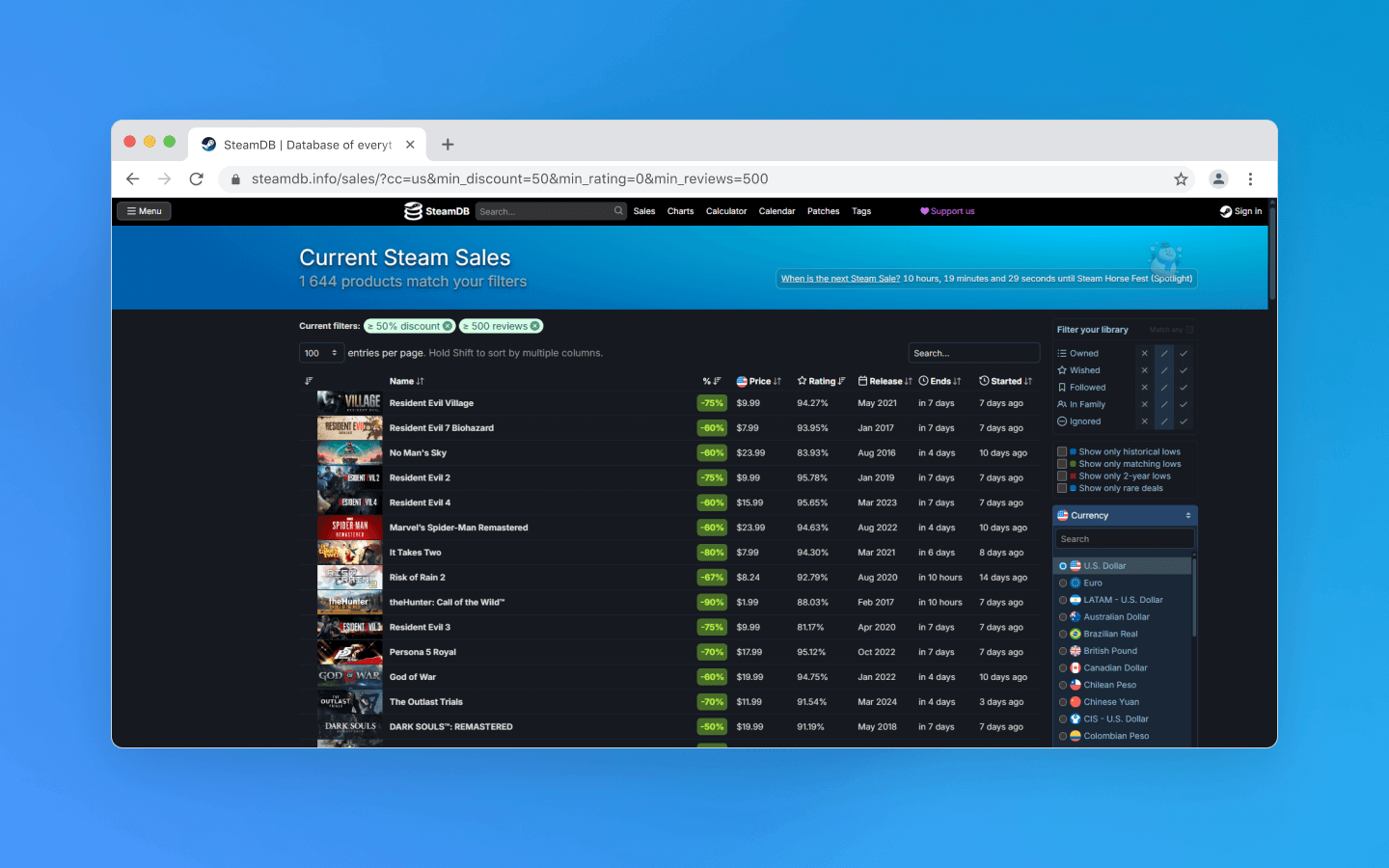
On steamdb.info you can view discounts and check prices for games in different regions.
Linking a Steam account in another region
To change the Steam region in account settings,you will need a payment method valid in the new country; this may be a local bank card or other services. Simply changing the IP address via VPN without changing payment details will not work. Moreover, this may lead to restrictions.
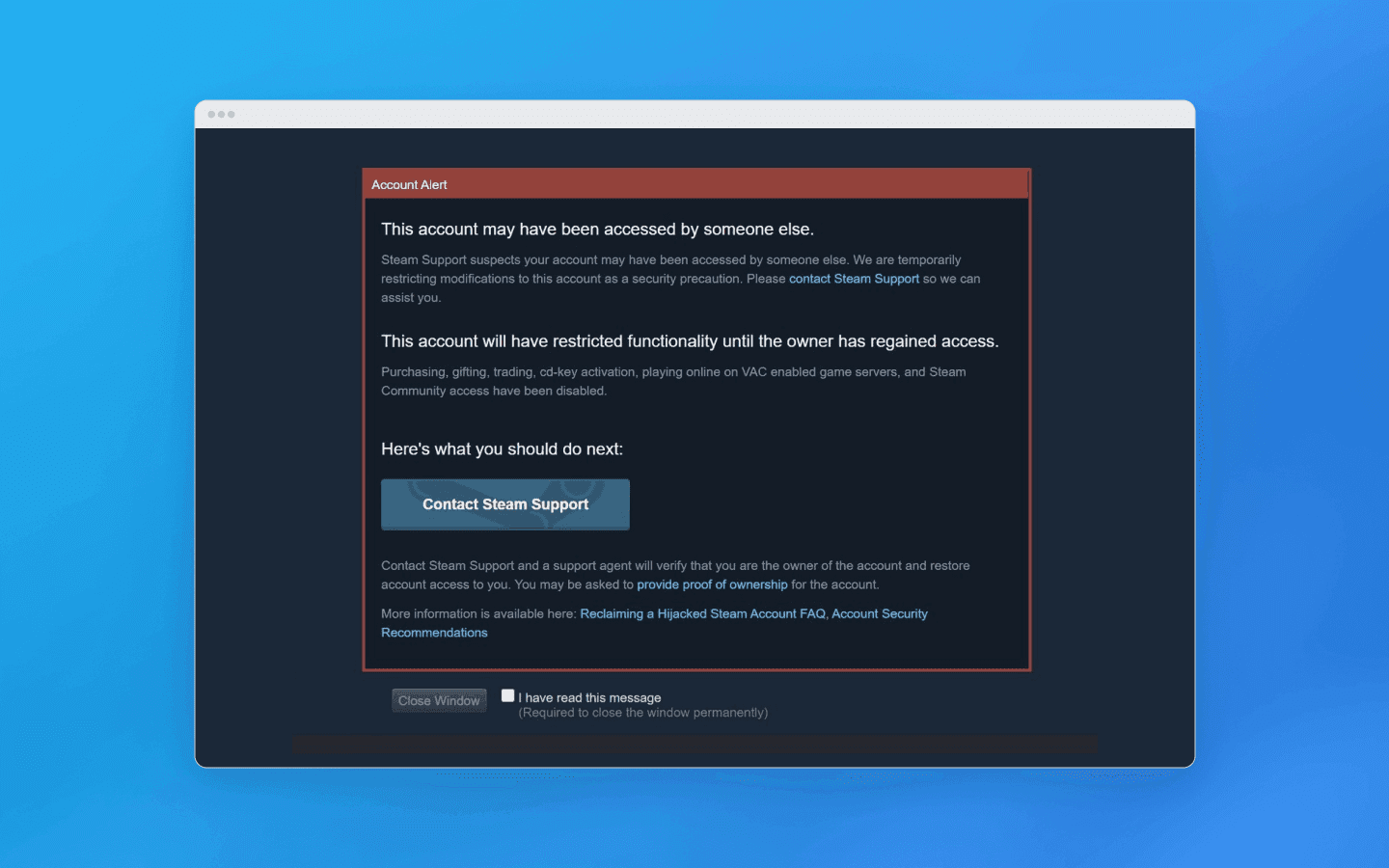
When the Steam region IP address changes abruptly, Steam Support may suspect that someone else has accessed your account and block it.
Buying games in another region and topping up your balance
Purchasing games and gifts at reduced regional prices for your own region is a direct violation of the rules. The system may analyze mismatches between IP address, fingerprint, payment details, and purchase history. Using a VPN to bypass regional restrictions is prohibited by the rules.
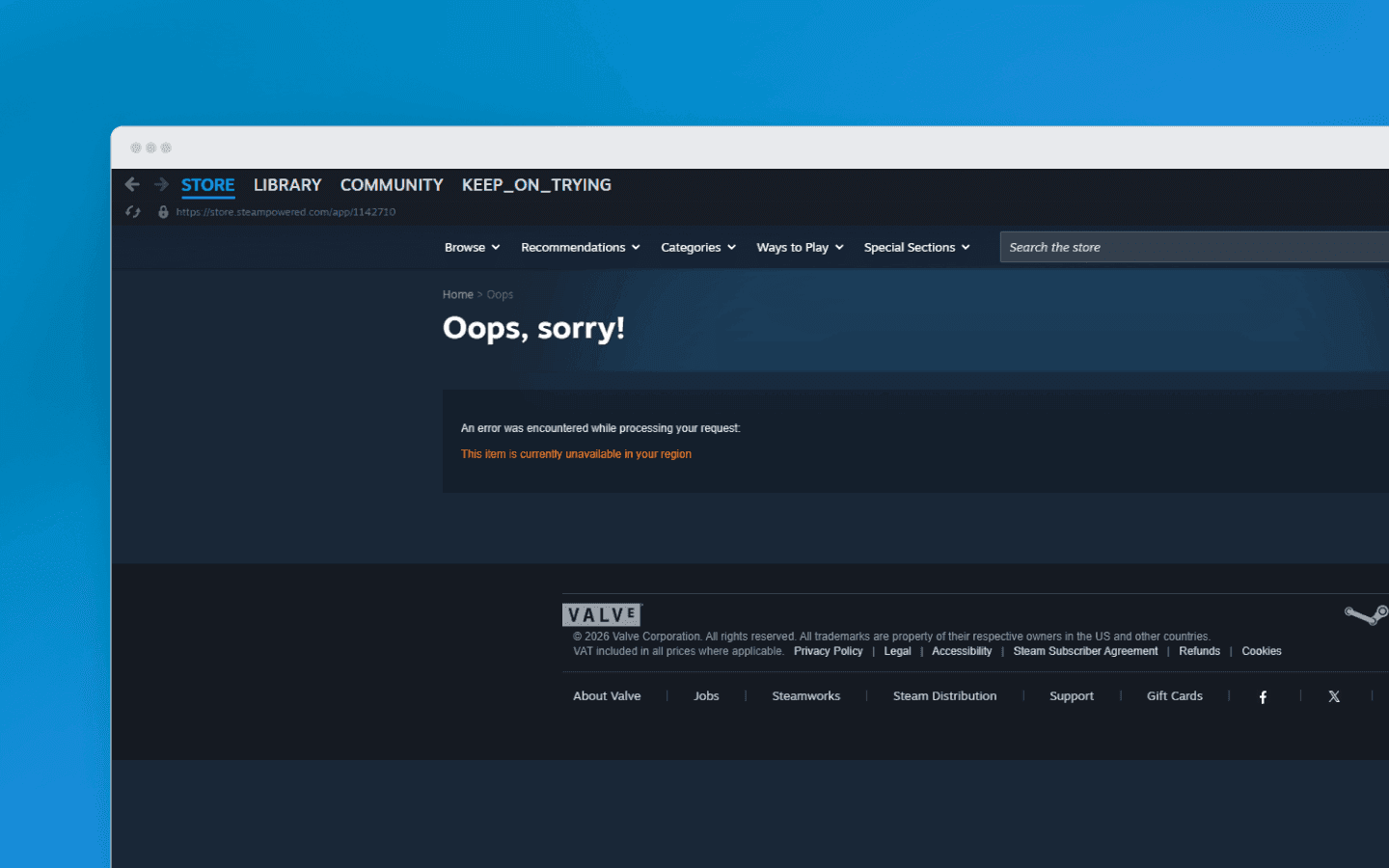
Important: Steam actively monitors suspicious region changes. If the system suspects the use of a VPN or proxy, all purchases will be canceled and the account may be temporarily or permanently banned.
Topping up the wallet of an account linked to another region is difficult. Steam does not accept cards from other countries to add funds in the current region. The same applies to purchasing gift cards (Steam Wallet). A card purchased in one region will not work for an account from another region because it has a regional restriction.
There are several solutions available:
Virtual bank card.
If you have a virtual card, you can top it up and pay for purchases on Steam. The main condition is that the funds on the card must be in the currency of the account’s region. Even if the top-up is made in another currency, after conversion the Steam account balance will receive the amount corresponding to the nominal value. The platform generally treats such operations neutrally.
Cons: this method does not always work with all regions and cards, so you need to check whether it works in your case.
Top-up via Dota 2 and Counter-Strike 2 skins.
There are services where you can buy skins cheaper than on the Steam marketplace. You buy a skin on a third-party platform (Shadowpay, Skinamy), then sell it on Steam.
Cons: after selling, funds are frozen for 7 days. If you need to buy a game urgently, this option will not work.
Top-up via specialized services.
To add funds you can use intermediary websites.
Cons: these services charge an additional fee, so they are faster, but more expensive. Using third-party intermediaries also increases the risk of account bans.
Please note: we recommend keeping receipts from the first purchases, the original email (after change), the phone number, and knowing the last four digits of the card used for payment during the region change. These details may be requested later in case of a ban and can help prove account ownership.
Congratulations! You now have access to new Steam gaming content.
Conclusions
Creating multiple Steam accounts is legal if you use them to separate your game libraries and if this does not violate other platform rules. Technically, creating multiple Steam accounts is not difficult, but their safe use is highly limited.
Most users want to create a new account to buy games again while saving money. Changing regions to bypass restrictions is a serious risk and a direct violation of the Steam rules. It requires comprehensive account isolation: different emails, stable IP addresses, and reliable browser fingerprints.
The right solutions help minimize risks with multi-accounting on Steam. Anti-detect browsers are specifically designed for multi-accounting: data is isolated at the web session level, which prevents tracking links between accounts and helps avoid mass bans. Octo Browser replaces your digital fingerprint with a new fingerprint at the browser kernel level, so for Steam security systems each virtual profile appears as a separate user with their own device.
FAQ
What role do security and privacy play when choosing an anti-detect browser?
Steam checks many fingerprint parameters to prevent fraud. If Steam security systems detect suspicious activity on one account, they may link it to all other accounts on the same device. Considering that creating additional accounts is often connected with buying games or earning from trading CS2 and Dota 2 skins, losing access means losing real money. Therefore, carefully choosing an anti-detect browser is crucially important.
Can Steam workflows be automated?
Many routine actions, for example changing proxies, switching between accounts, launching and stopping profiles, can be scripted in any convenient browser automation framework. In practice, the current API version allows you to create and automate almost any aspect of profile workflows.
Manage multiple accounts, simplify ad integrations, and earn consistent income with your content.
Would you like to try Octo Browser at discount?
Use the promo code OCTOBLOG to get 30% off any subscription. This offer is valid only for new users.
Steam rules (ToS) and the position of Valve
The official position of Valve Corporation does not directly prohibit one user from creating multiple Steam accounts, as long as this does not violate other clauses of the Steam Subscriber Agreement.
Main violations related to multi-accounting on Steam include:
Ban evasion: creating a new account to bypass a ban (VAC, Game Ban, trading ban) on the main account is a direct and undeniable violation. It leads to an almost immediate ban of the new account.
Fraud: using accounts to deceive other users (phishing, scams), manipulate voting, boost reviews, or create fake trades.
Regional pricing abuse: using an account from a low-price region to purchase games for transfer or resale.
In practice, creating additional accounts for personal non-commercial use (for example, a family account or a separate testing account) often goes unnoticed as long as other rules are not violated. However, this is a grey area without official guarantees, so Valve reserves the right to apply sanctions to all connected accounts if any violations are detected. This is known as an “association ban.” The platform’s position is aimed at tackling abuse, not ordinary users.
Registration on Steam: main steps
To create a new Steam account you will need:
A unique email address. One address cannot be used for multiple accounts. Temporary email services are not recommended, as this increases the risk of losing account recovery options in case of a ban.
Username and password. Must be unique.
Proxy/VPN. Required to change region during registration. Using cheap VPNs may lead to an immediate ban or an Internal Server Error.
Phone number. Steam may request SMS verification, especially if registration is performed from the same IP or device. To bypass this limitation, some users use virtual numbers. Certain features (Market trading, adding friends after a specific limit) also require a unique phone number. In this case, you can use a virtual number.
A separate payment method. Steam does not allow linking the same bank card to multiple accounts without additional verification.
Important: when registering a new account from the same IP address as an existing one, Steam may request email or SMS confirmation. This is a standard security measure, not a ban.
Using the Steam desktop app
The Steam desktop app is installed on a device only once. You can then add multiple accounts and switch between them. Your libraries, settings, and cloud saves will be separated.
From the system’s perspective, all these accounts will be associated with one device. They will use the same IP address and partially identical hardware identifiers. For everyday use, this approach is sufficient. For tasks that require full account isolation, this is not enough.
Running multiple Steam accounts simultaneously
Running two or more Steam apps on one device using different accounts is normally impossible: Steam blocks ports and files.
Workarounds include:
Using multiple Windows users (each with their own Steam profile).
Running the Steam app in Sandbox mode using special software. This allows you to create several “sandboxes” with different accounts. This method is easier, but not always convenient to manage. Also, Steam actively fights such methods, which may lead to bans.
Using virtual machines. Each virtual machine is an isolated operating system where you can install and run a separate Steam app, but this requires significant PC resources.
For games without DRM or with offline mode support, multiple copies of a game can be launched manually, bypassing Steam.
Risks: attempts to bypass this limitation by running multiple Steam instances, using different Windows users, or virtualization may lead to technical issues or account bans. Even if successfully launched, playing a multiplayer game simultaneously from two accounts on one device is practically impossible and easily detected, especially if used to bypass restrictions, such as trading cards or skins between your own accounts.
Creating a Steam account using an anti-detect browser
An anti-detect browser is one of the best options for working with the Steam Marketplace, as it allows you to simulate different devices and use a separate IP for each account. Octo Browser helps hide the real device fingerprint and replaces it with a virtual profile that appears to websites as a real device. You can create multiple Steam accounts while minimizing the risk of bans.
What Steam checks during registration and login via web or the app:
IP address. If multiple accounts are registered using the same IP, Steam may request additional verification.
Fingerprint. Steam analyzes device parameters: screen resolution, installed fonts, plugins, OS version, and browser version. If multiple accounts share the same fingerprint, suspicions arise.
Behavioral factors. Frequent changes of IP, regions, or devices may lead to bans.
How Octo Browser protects your Steam accounts from bans
Octo Browser allows you to create virtual profiles with unique digital fingerprints for each account. Each profile can be paired with a proxy with an IP address from the required region. This way, every Steam account operates in its own isolated digital environment.
This reduces the risk of bans affecting all accounts linked to a single device or IP. During sessions Steam will continue collecting data related to registration, Support logins, and purchases made in the browser, but it will not be able to track links between accounts or suspect violations.
An anti-detect browser isolates the web part of Steam. To isolate the Steam app itself, additional methods described above are required.
Creating a Steam account in Octo Browser is exactly as in any other browser. You enter your email and specify your country of residence. Geolocation is determined automatically, but when using a proxy the desired geo should appear in the corresponding field. After registration, a confirmation email is sent.
Changing the Steam region
Changing the Steam region provides access to blocked games and lower prices. For example, in regions such as Kazakhstan, Turkey, or Ukraine, Steam prices are significantly lower.
Official change: Steam allows a legal region change no more than once every three months. You can change the country in account settings only when moving to a new country for permanent residence. Confirmation requires a local payment method (a bank card or PayPal registered in that region).
Illegal region change: one of the riskiest operations. Valve actively fights this due to price differences between regions. This means using a proxy or VPN alone is not enough to change the Steam region.
On steamdb.info you can view discounts and check prices for games in different regions.
Linking a Steam account in another region
To change the Steam region in account settings,you will need a payment method valid in the new country; this may be a local bank card or other services. Simply changing the IP address via VPN without changing payment details will not work. Moreover, this may lead to restrictions.
When the Steam region IP address changes abruptly, Steam Support may suspect that someone else has accessed your account and block it.
Buying games in another region and topping up your balance
Purchasing games and gifts at reduced regional prices for your own region is a direct violation of the rules. The system may analyze mismatches between IP address, fingerprint, payment details, and purchase history. Using a VPN to bypass regional restrictions is prohibited by the rules.
Important: Steam actively monitors suspicious region changes. If the system suspects the use of a VPN or proxy, all purchases will be canceled and the account may be temporarily or permanently banned.
Topping up the wallet of an account linked to another region is difficult. Steam does not accept cards from other countries to add funds in the current region. The same applies to purchasing gift cards (Steam Wallet). A card purchased in one region will not work for an account from another region because it has a regional restriction.
There are several solutions available:
Virtual bank card.
If you have a virtual card, you can top it up and pay for purchases on Steam. The main condition is that the funds on the card must be in the currency of the account’s region. Even if the top-up is made in another currency, after conversion the Steam account balance will receive the amount corresponding to the nominal value. The platform generally treats such operations neutrally.
Cons: this method does not always work with all regions and cards, so you need to check whether it works in your case.
Top-up via Dota 2 and Counter-Strike 2 skins.
There are services where you can buy skins cheaper than on the Steam marketplace. You buy a skin on a third-party platform (Shadowpay, Skinamy), then sell it on Steam.
Cons: after selling, funds are frozen for 7 days. If you need to buy a game urgently, this option will not work.
Top-up via specialized services.
To add funds you can use intermediary websites.
Cons: these services charge an additional fee, so they are faster, but more expensive. Using third-party intermediaries also increases the risk of account bans.
Please note: we recommend keeping receipts from the first purchases, the original email (after change), the phone number, and knowing the last four digits of the card used for payment during the region change. These details may be requested later in case of a ban and can help prove account ownership.
Congratulations! You now have access to new Steam gaming content.
Conclusions
Creating multiple Steam accounts is legal if you use them to separate your game libraries and if this does not violate other platform rules. Technically, creating multiple Steam accounts is not difficult, but their safe use is highly limited.
Most users want to create a new account to buy games again while saving money. Changing regions to bypass restrictions is a serious risk and a direct violation of the Steam rules. It requires comprehensive account isolation: different emails, stable IP addresses, and reliable browser fingerprints.
The right solutions help minimize risks with multi-accounting on Steam. Anti-detect browsers are specifically designed for multi-accounting: data is isolated at the web session level, which prevents tracking links between accounts and helps avoid mass bans. Octo Browser replaces your digital fingerprint with a new fingerprint at the browser kernel level, so for Steam security systems each virtual profile appears as a separate user with their own device.
FAQ
What role do security and privacy play when choosing an anti-detect browser?
Steam checks many fingerprint parameters to prevent fraud. If Steam security systems detect suspicious activity on one account, they may link it to all other accounts on the same device. Considering that creating additional accounts is often connected with buying games or earning from trading CS2 and Dota 2 skins, losing access means losing real money. Therefore, carefully choosing an anti-detect browser is crucially important.
Can Steam workflows be automated?
Many routine actions, for example changing proxies, switching between accounts, launching and stopping profiles, can be scripted in any convenient browser automation framework. In practice, the current API version allows you to create and automate almost any aspect of profile workflows.
Stay up to date with the latest Octo Browser news
By clicking the button you agree to our Privacy Policy.
Stay up to date with the latest Octo Browser news
By clicking the button you agree to our Privacy Policy.
Stay up to date with the latest Octo Browser news
By clicking the button you agree to our Privacy Policy.

Join Octo Browser now
Or contact Customer Service at any time with any questions you might have.
Join Octo Browser now
Or contact Customer Service at any time with any questions you might have.
Join Octo Browser now
Or contact Customer Service at any time with any questions you might have.